Stress-test your STL before you hit Print
Drop in an STL, OBJ, or 3MF file to see where walls get thin, shells crack open, or normals flip. Fix the model once instead of wasting filament and resin.
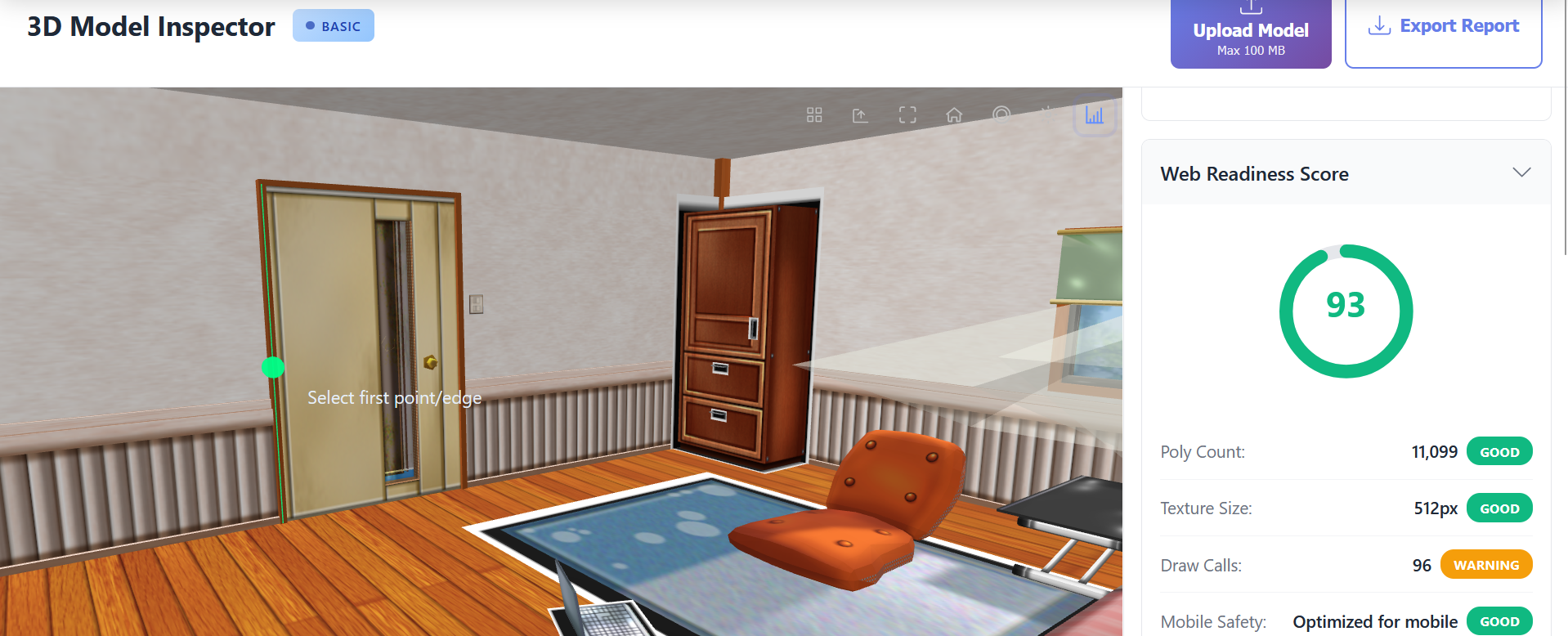
- 🖨️ Get a simple printability grade with next steps
- 🔧 Spot non-manifold edges and self-intersections fast
- 🕳️ Highlight holes, shells, and fragile walls
- 📏 Measure parts in metric or imperial units
Why Check STL Files Before Printing?
Avoid failed prints, clogged nozzles, and resin spills by validating meshes upfront.
Catch issues in minutes instead of hours spent troubleshooting slicer warnings.
Save material, machine time, and labor by fixing geometry before hitting Start Print.
Ensure watertight manifold geometry that meets manufacturer tolerances for FDM and SLA printers.
Powerful Features
Automated Printability Scoring
Get a 0-100 printability score with recommendations tuned for FDM, SLA, and SLS workflows. The analyzer checks manifold integrity, shell count, minimum wall thickness, and mesh normals, then suggests exact fixes to resolve slicer errors and improve adhesion.
Non-Manifold & Self-Intersection Detection
Highlight non-manifold edges, inverted normals, intersecting shells, and zero-area faces that cause slicing failures. Toggle each overlay individually to isolate specific problems and export a repair checklist for CAD or mesh repair tools.
Open Shell & Hole Visualization
See every open boundary, gap, and thin wall highlighted on the model. Use cross-section views to confirm whether geometry is closed and determine if automatic fixes introduced unwanted artifacts.
Normal Orientation Heatmaps
Flip between inside/outside shading to confirm normal orientation, detect inverted faces, and verify there are no duplicate shells. Essential for resin printers that rely on correct normal direction for voxel exposure.
Dimensional Analysis & Material Estimates
Measure bounding box, surface area, volume, and weight estimates based on resin or filament density. Switch between metric and imperial units, then export values for quoting and material planning.
Slicer-Ready PDF Reports
Download branded PDF and JSON summaries documenting detected issues, printability scoring, recommended fixes, and dimensional data. Attach reports to build sheets or share with clients before manufacturing.
How It Works
Drop in Your STL, OBJ, or 3MF
Load a single part or entire assembly directly in the browser. Models process locally — nothing uploads to the cloud.
Review Printability Warnings
Inspect heatmaps for non-manifold edges, holes, thin walls, and flipped normals. Adjust measurement units and view cross-sections for clarity.
Fix, Re-Analyze, and Export Reports
Apply repairs in your modeling software, rerun the checker, and export PDF/JSON reports for compliance or client sign-off.
Perfect For
Pre-Flight Your STL Files Before 3D Printing
Avoid failed prints and wasted consumables by running every STL, OBJ, or 3MF file through the browser-based checker. The tool processes models locally using WebGL and WebAssembly, so sensitive IP stays on your workstation while you receive instant feedback about mesh quality, manifold integrity, and wall thickness compliance.
Diagnose the Issues That Slicers Miss
Slicer warnings can be vague or inconsistent between Cura, PrusaSlicer, Bambu Studio, and Lychee. The STL File Checker standardizes diagnostics with clear overlays for non-manifold edges, open shells, inverted normals, and thin walls. Switch overlays on and off to investigate each problem area, then hand the checklist to your modeling or repair team with confidence.
Optimize for FDM, Resin, and Powder-Bed Printing
Whether you are printing in PLA, engineering resins, or nylon powder, geometry requirements are unique. The analyzer evaluates wall thickness against configurable thresholds, checks for minimum feature sizes, and flags overhang angles that may need support. Generate profiles tuned for desktop FDM, dental resin, or industrial SLS workflows.
Verify Scale and Material Consumption
Quickly confirm that imported parts match the intended scale — no more surprises where a file loads in meters instead of millimeters. Dimension and volume outputs feed directly into cost estimates and machine scheduling. Adjust density values to forecast filament or resin usage for accurate quoting.
Share Printable Proof with Clients and Stakeholders
Professionals rely on the checker’s PDF and JSON exports to document quality assurance. Reports include annotated screenshots, error tables, and corrective actions. Send the report to clients to prove a model is print-ready, or archive it internally as part of your manufacturing traceability.
Secure Diagnostics for Regulated Industries
From medical devices to aerospace tooling, many projects involve sensitive geometry. Because inspection happens fully client-side in the browser, no CAD data leaves your environment. The checker aligns with strict compliance policies while still offering the convenience of a SaaS experience.
Frequently Asked Questions
What makes an STL file unprintable?
Common issues include non-manifold edges, self-intersections, inverted normals, thin walls, and open shells. The checker flags each of these issues before you send the file to your slicer.
Can this tool fix my STL file?
The inspector focuses on diagnostics and reporting. Use repair tools like Meshmixer, Netfabb, or your CAD package to fix issues, then re-run the checker to confirm the repairs worked.
Does it work with large STL files?
Yes. The client-side engine accommodates files up to several hundred megabytes depending on available RAM. For assemblies, analyze components individually for faster iterations.
How accurate are the measurement estimates?
Measurements are derived from vertex geometry with floating-point precision. Weight calculations leverage configurable density presets for PLA, ABS, PETG, and standard resins.
Ready to Inspect Your 3D Model?
Start analyzing your models for free. No sign-up required.